Introduction to Stellar
Stellar is a platform for building powerful, enterprise-grade voice and chat AI agents that can handle customer conversations naturally and effectively. Whether you need to automate customer service, manage appointment scheduling, handle order inquiries, or answer frequently asked questions, Stellar makes it easy to create agents that sound natural and deliver results.
Stellar distinguishes itself with:
- The most natural conversations on the market, also in non-English languages
- Support for complex enterprise integrations
- Full control over data access with both hard and soft logic
- Extensive monitoring features in realtime and after a call finishes
- Easy to manage without a technical background
The Stellar Studio is our web application where you build, manage and monitor your agents.
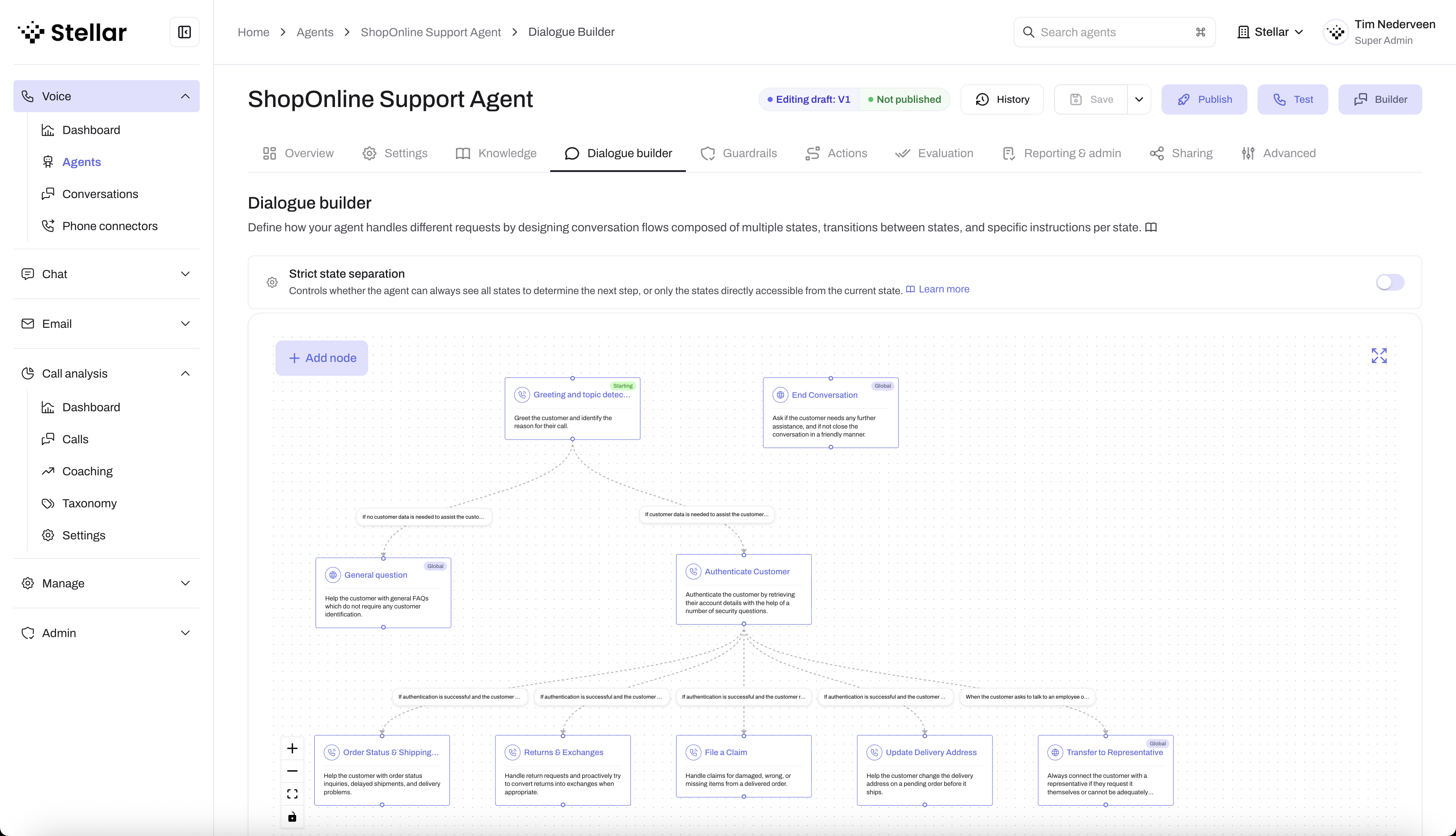 Stellar Studio lets you visually design conversation flows, configure actions, and monitor your agents
What can you build?
With Stellar, you can create voice and chat agents for a wide range of use cases. Examples are:
- Customer support: Handle common customer questions, troubleshoot issues, and route complex cases to human agents
- Appointment scheduling: Book, reschedule, and confirm appointments with customers automatically
- Order management: Take orders, provide order status updates, and process simple requests
- Lead qualification: Engage with prospects, gather information, and qualify leads for your sales team
- FAQ handling: Answer frequently asked questions instantly, 24/7
Core capabilities
Stellar gives you everything you need to build production-ready voice and chat agents:
- Natural conversations: Your agents use advanced AI to understand and respond naturally to customer needs
- Flexible dialogue: Design conversation flows that adapt to different scenarios and customer inputs
- Knowledge integration: Give your agents access to the information they need through knowledge bases and integrations with external systems
- Safety & compliance: Set guardrails to ensure conversations stay on track and meet your compliance requirements
- Real-time monitoring: Listen to live conversations and step in when needed
- Analytics & insights: Track performance, identify trends, and continuously improve your agents
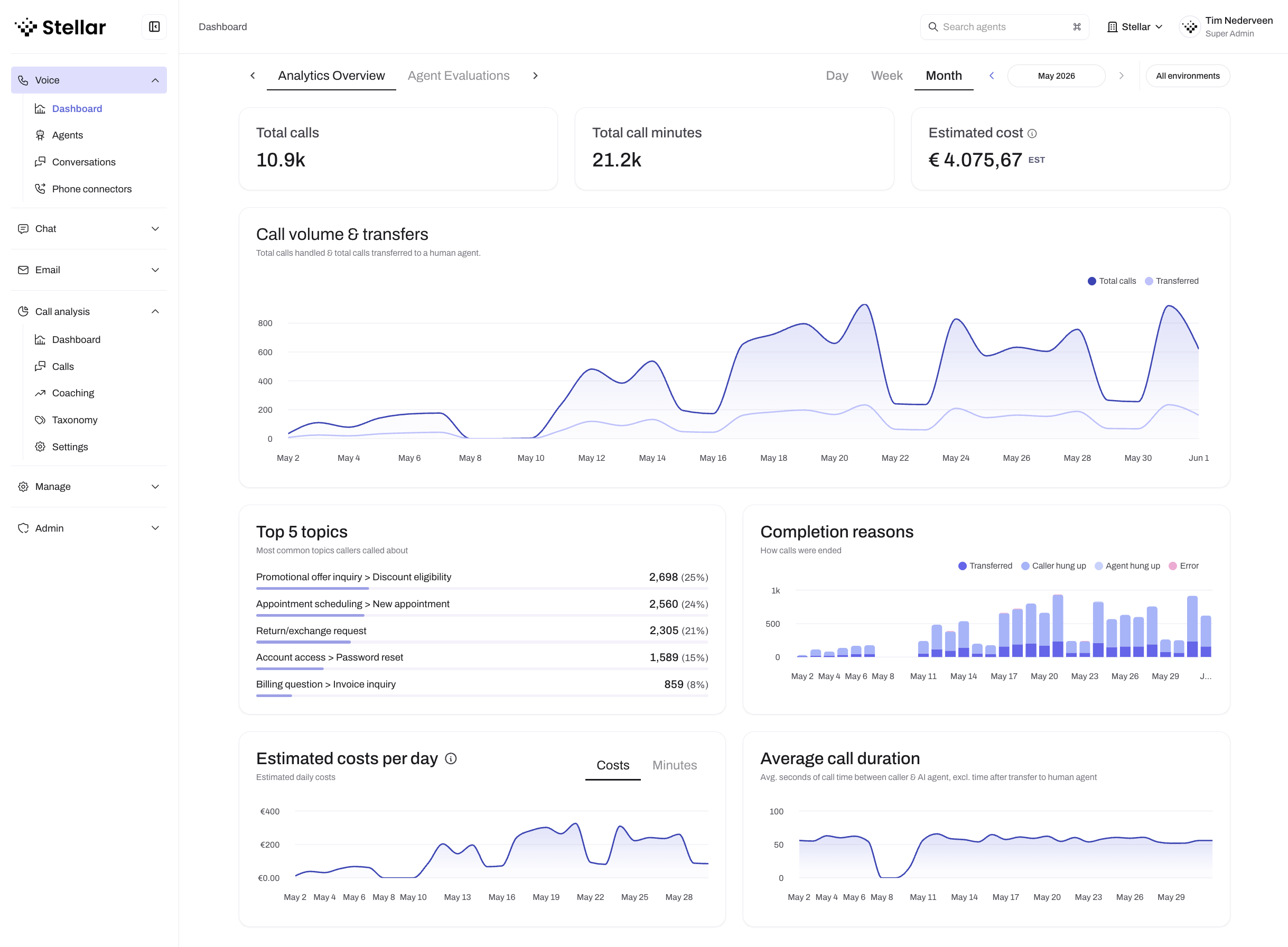 The Analytics dashboard shows call volumes, top topics, completion reasons, and cost tracking
How it works
Building an agent in Studio follows a simple process:
- Create your agent: Define the basics like personality, voice, and language
- Add general knowledge: Provide general information your agent can use to answer questions
- Design dialogue: Build conversation flows to cover your use cases
- Configure actions: Connect your agent to external systems and data
- Set guardrails: Define safety rules and compliance boundaries
- Test & deploy: Try out your agent and deploy it to your customers
Ready to get started? Let's create your first agent.